
**mesh_quarter_plate_hole#
Description#
This command creates the mesh of a rectangular plate with a hole (circular or elliptical).
Syntax#
**mesh_quarter_plate_hole
\(~\,\) *ncut_radius nc_r
\(~\,\) *ncut_theta nc_t
\(~\,\) *size_square half_edge
\(~\,\) *size_hole radius
\(~\,\) *nb_reg nlayer
\(~\,\) [ *quad]
\(~\,\) [ *geometrical_progression prog
\(~\,\) [ *anisotropy edge_aniso ]
\(~\,\) [ *hole_anisotropy rad_ani ]
\(~\,\) [ *balance_nodes ]
*ncut_radiusNumber of subdivisions along the radius.
*ncut_thetaNumber of subdivisions along theta.
*size_squareEdge length/2 of the square.
*size_holeRadius of the circular hole.
*nb_regNumber (integer) of layers with the same hole roundness. It allows a smooth mesh transition from the hole to the square corner.
*quadA boolean to activate quadratic interpolation (By default, it is linear).
*geometrical_progressionprogressive evolution of the position of nodes.
*anisotropyFor rectangular plates. The length and the width of the rectangle are 2 * half_edge and (2 * half_edge * edge_aniso ) is multiplied by edge length to obtain .
*hole_anisotropyFor elliptical holes. The length of the first axis is multiplied by the value of rad_ani
*balance_nodesUniform distribution (along theta) of the nodes in the case of a rectangular plate.
Example#
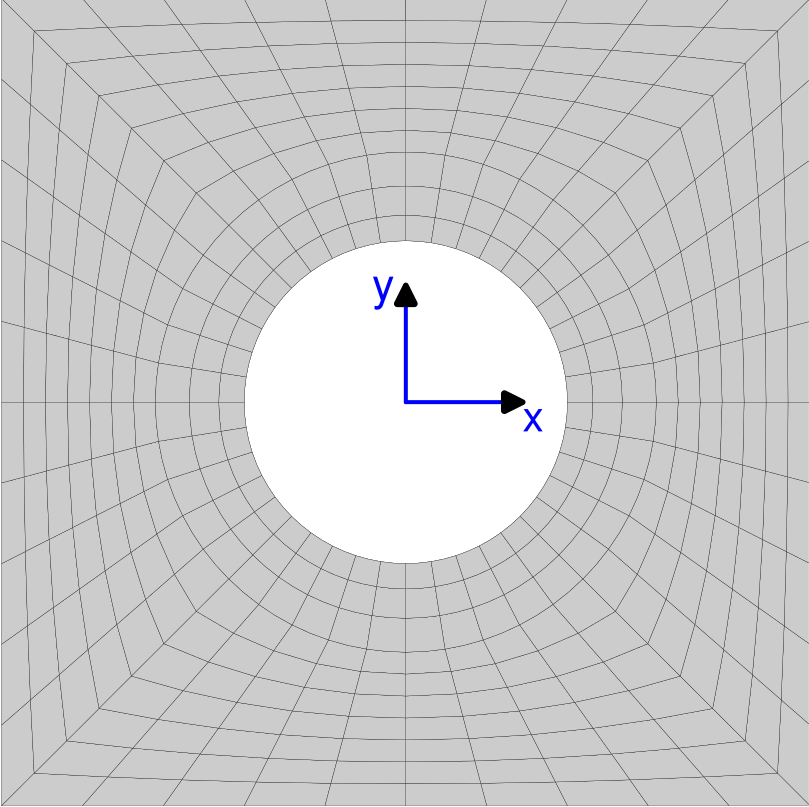
****mesher
 ***mesh quarter.geof
  **mesh_quarter_plate_hole
   *ncut_radius 10
   *ncut_theta 10
   *size_square 1.00000
   *size_hole 0.400000
   *nb_reg 3
   *quad

 ***mesh half.geof
  **open quarter.geof
  **symmetry
   *type line
   *normal (-1. 0. 0.)
  **union
   *add quarter.geof

 ***mesh plate_w_hole.geof
  **open half.geof
  **symmetry
   *type line
   *normal (0. -1. 0.)
  **union
   *add half.geof
****return